Lighthouse
Support desk for international exchange programs
Hanover Lighthouse is a single place to raise, track and resolve participant queries. Structured ticketing, AI-assisted tools and faster response times.
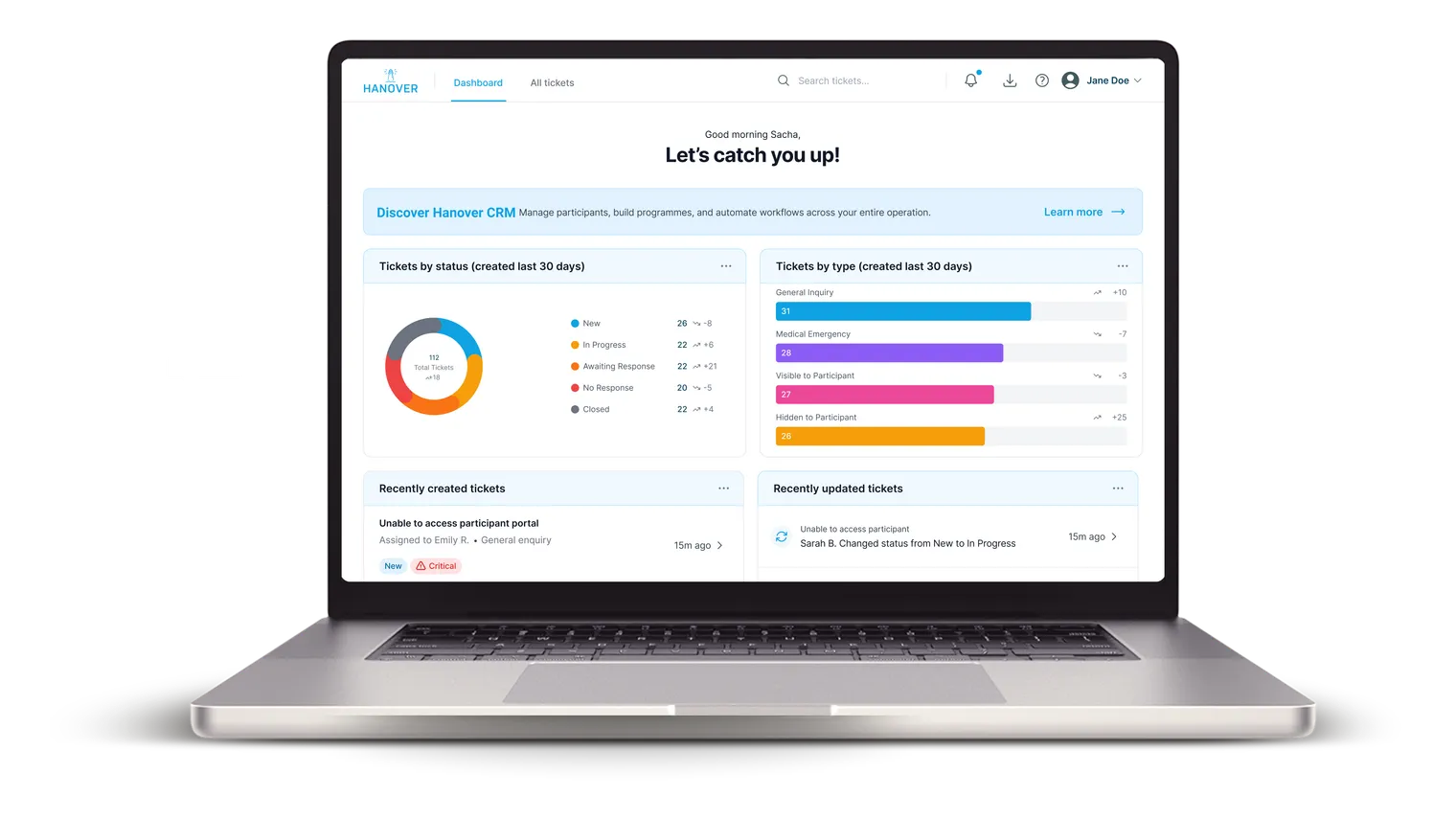
Lighthouse by Hanover is a help-desk and ticketing tool built for international exchange teams. Sponsors, recruiters and education abroad offices use it to turn participant emails into structured tickets, triage with AI-assisted prioritisation, route by program or brand, and resolve faster on mobile, at $20 per user per month with no per-contact fees and a 14-day free trial.
Used by exchange leaders


.png)














Key features
What features does Lighthouse include for exchange support teams?
Tickets, email integration, custom workflows, and AI-assisted prioritisation. Setup takes hours, not weeks.
- 01
Email-to-ticket integration
Incoming emails become tickets automatically. No more lost messages in shared inboxes.
What's included Hide details
- Auto-create tickets from participant, partner, and host email
- Preserve full email threading and attachments
- Smart sender recognition ties emails back to the right contact
- 02
Mobile-friendly admin interface
Manage tickets on the go with a fully responsive admin UI. Handle urgent participant issues from anywhere.
What's included Hide details
- Optimised for tablets and phones
- Quick-action touch controls for status and assignment
- Real-time notifications keep the on-call admin in the loop
- 03
Custom statuses & ticket types
Configure ticket types that match your programs: visa applications, housing requests, orientation queries, and more.
What's included Hide details
- Unlimited custom statuses per ticket type
- Program-specific types with their own fields
- Colour-coded organisation for at-a-glance triage
- 04
AI-powered tools
Prioritisation, sentiment analysis and suggested response generation, so every ticket starts with a head-start.
What's included Hide details
- Automatic priority scoring from ticket content
- Sentiment detection flags frustrated participants early
- Suggested responses drafted from your knowledge base
- 05
Custom assignment rules
Tickets route to the right admin automatically, based on category, priority, program or brand.
What's included Hide details
- Rules based on priority, tag, or ticket type
- Pick a specific admin for each category
- Cuts first-response time and eliminates hand-offs
- 06
Templates & dynamic fields
Build templates with dynamic fields to speed up responses without sacrificing a personal touch.
What's included Hide details
- Faster, consistent replies to common queries
- Dynamic fields personalise every message
- Filter and sort data to optimise reports
Dashboard
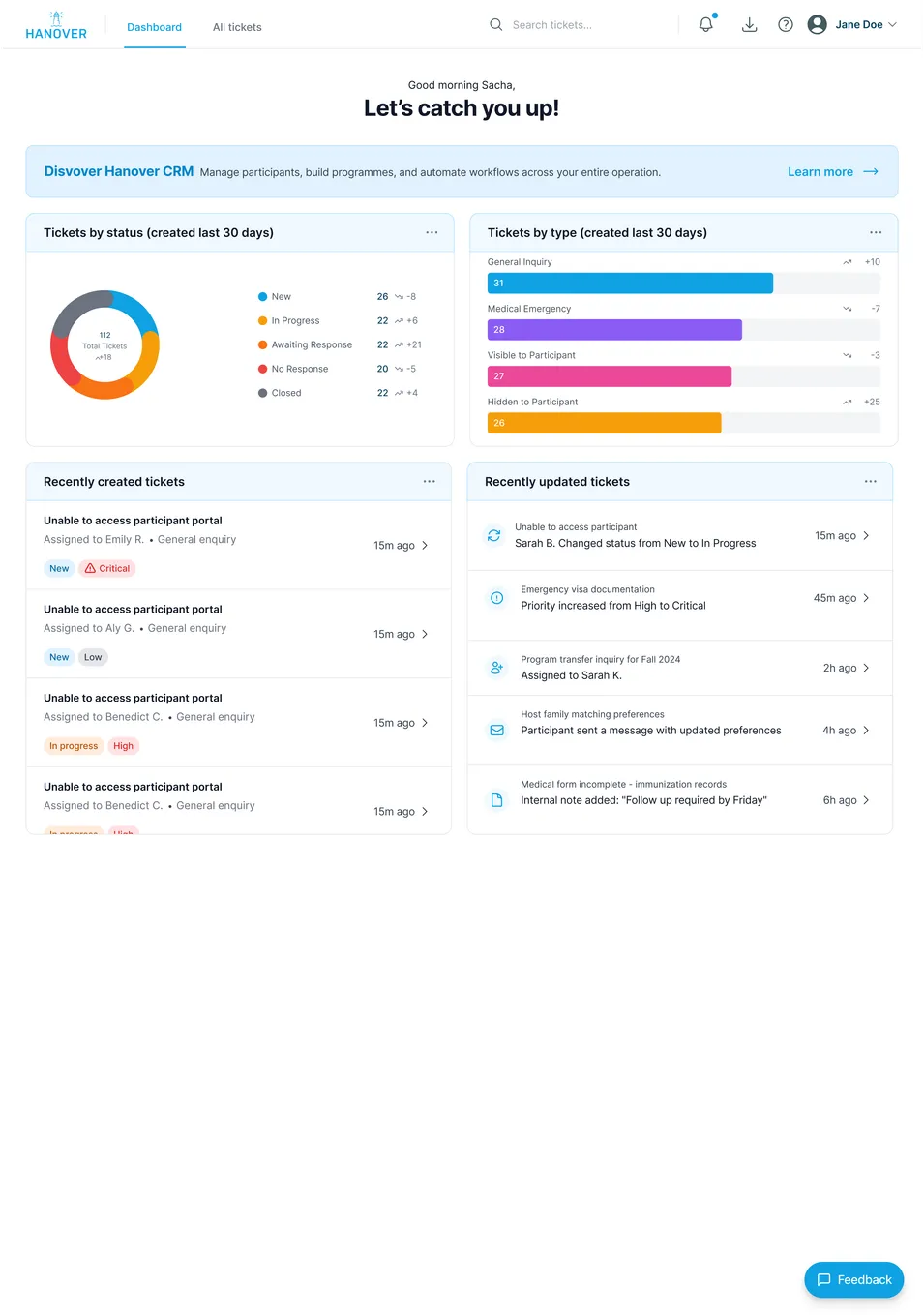
How does the Lighthouse dashboard help admins triage tickets?
An easy-to-navigate dashboard panel lets admins quickly assess key ticket information and metrics, so they can triage priorities, surface bottlenecks, and keep SLAs on track.
- Instant visibility
- See priorities, workload, and ticket status at a glance, no clicking through filters.
- Clear performance metrics
- Track trends and surface bottlenecks before they affect participants or hosts.
- Actionable insights
- Support faster, better decisions with data from every queue, category, and agent.
Built for exchange
Why do exchange teams pick Lighthouse over Zendesk or Freshdesk?
A centralised platform with structured ticketing, faster response times, and exchange-specific features out of the box.
- Predictable pricing at $20/user
- Simple monthly pricing with no per-contact fees, no seat limits, no surprise charges. All core support desk features, without enterprise software costs. A 5-person team pays $100/month, flat.
- Set up in hours, not weeks
- Easy to configure with step-by-step guides. Your team is up and running within a few hours, with typical implementations taking 1–2 days. Typical implementation: 1–2 days.
- Replaces a stack of tools
- One place for all participant queries, employer communications, and partner requests. Email integration means no more lost messages in shared inboxes. Consolidates email, chat, and knowledge base.
- Teams learn it fast
- Support staff are handling tickets within a day. The interface is simple enough that you won't need extensive training sessions. Handling tickets on day one.
Pricing
How much does Lighthouse cost?
Flat monthly rate that scales with your team. No seat limits, no per-contact fees, no surprises.
Billed monthly, or save 15% with annual billing.
14-day free trial. No credit card required.
Every seat includes
- Unlimited tickets
- Email support
- Mobile admin access
- Knowledge base
- Custom workflows & statuses
- AI-assisted triage
- Advanced analytics
FAQ
Lighthouse questions, answered
What's included in the free trial?
Do you offer discounts for annual billing?
Is there a setup fee?
Does Lighthouse integrate with Hanover CRM?
What about email providers?
See Lighthouse in action
Book a walkthrough and we'll show Lighthouse alongside Hanover CRM for your program mix.